Open source Windows toolbox
Set up Windows the way you want it
Tested tweaks that explain themselves, a curated app installer and sane update settings. One command, nothing to install, everything reversible.
PS> irm https://wintweaks.tech/win | iexPaste it into PowerShell or Terminal opened as Administrator.
A fresh Windows works. Making it yours takes an afternoon.
Registry edits, forum posts and forgotten steps, again on every new PC.
- Privacy and telemetry settings are scattered across half a dozen settings pages.
- The tweaks worth applying hide in old forum threads, next to placebo and risky advice.
- Most tools never say what a tweak really changes, or what it might break.
- Essential apps mean a dozen separate installers, each with something to decline.
- Undoing a change means remembering exactly what you did, and how.
Only what's essential, and only what works
WinTweaks keeps the short list of changes worth making, and tells you exactly what each one does.
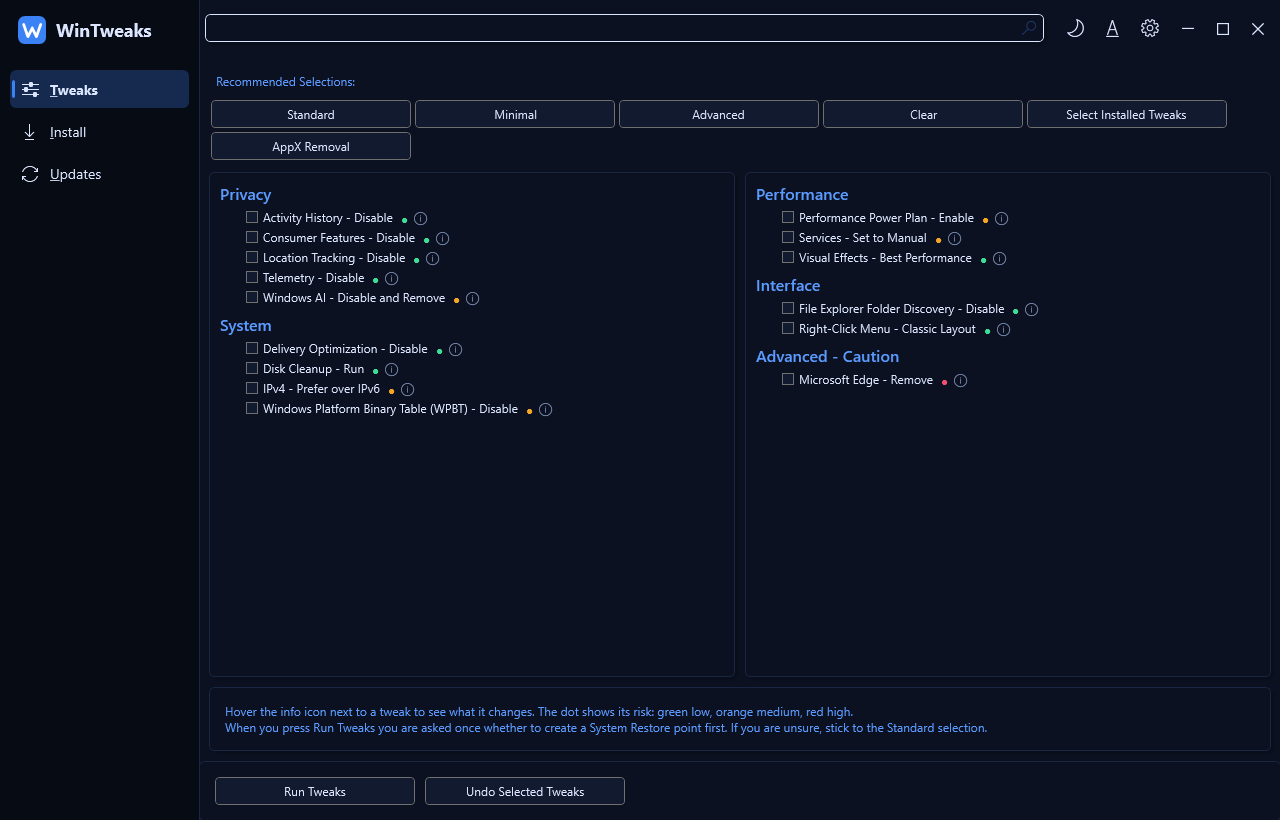
15 tweaks that actually work
Privacy, system, performance and interface tweaks, kept only when their effect is real. Standard, Minimal and Advanced presets give you a safe start.
Every tweak explains itself
Hover the info icon to read what a tweak changes and its side effects. A coloured dot shows the risk: green, orange or red.
A restore point, when it matters
Pick your tweaks first. When you press Run Tweaks, WinTweaks asks once whether to create a System Restore point before anything changes.
Undo what you don't like
Every tweak can be reverted from the same page. One-off actions, like Disk Cleanup, say so up front.
Install without the bloat
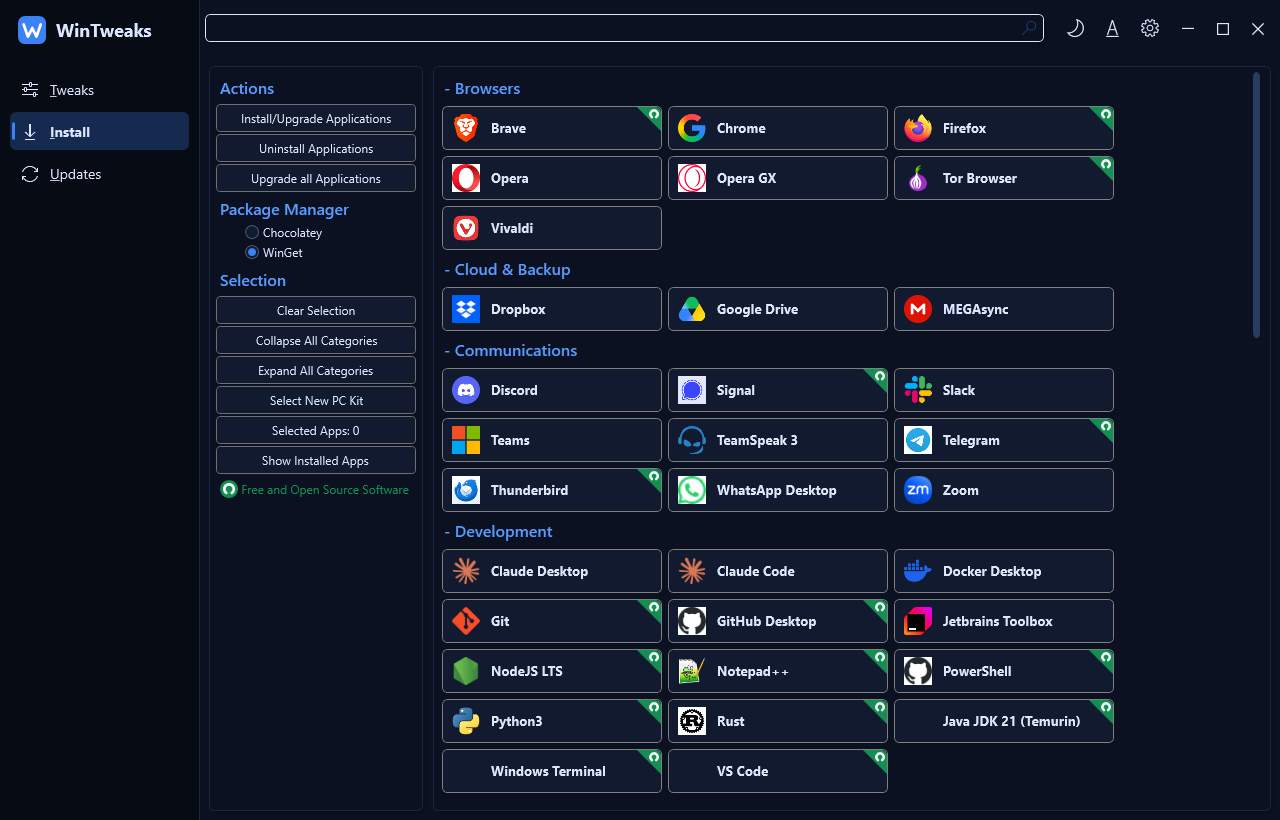
About 100 curated apps in 12 categories, installed with winget. New PC Kit selects the essentials for a fresh Windows in one click.
Updates on your terms
The Recommended profile defers feature updates by a year and quality updates by four days. One click takes you back to the Windows defaults.
Everything for a new machine, in one window
Install your everyday apps, remove the ones you never wanted and settle updates, without hunting for installers.
Remove preinstalled apps
Take out the Windows apps you never asked for, and put them back from the Microsoft Store if you change your mind.
Nothing phones home
WinTweaks collects nothing. It's a script that runs, applies what you selected and exits.
Automation-friendly
Run a preset without the window: -Preset Standard applies the same baseline on every machine.
From a blank terminal to a configured PC
- 1
Open Terminal as Administrator
Right-click Start and choose Terminal (Admin). From a normal window, WinTweaks asks for elevation itself.
- 2
Run the launch command
It downloads the latest release and runs it from memory. Nothing is installed.
- 3
Tweak, install, update
Work through the Tweaks, Install and Updates pages. Everything is explained, and everything can be undone.
Stop hunting for the same fixes every time
- You see what every tweak does before you apply it.
- You get a restore point before anything changes.
- You can undo it all from the same window.
PS> irm https://wintweaks.tech/win | iex